
For using Import or Export utilities you need first to select a folder for Import or Export. That is done the same way as for Image Depot Master using the directory tree on the left.
|
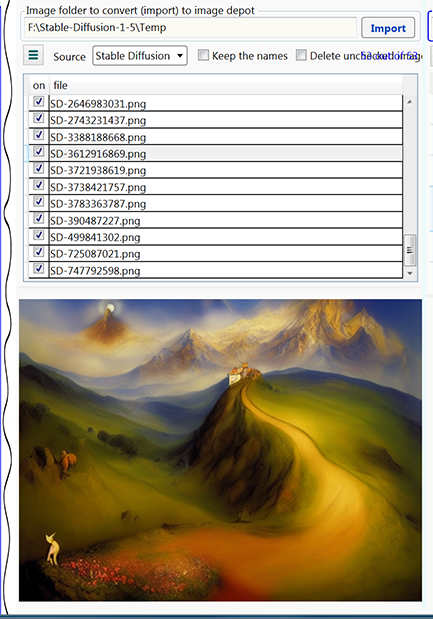
The forth tab of Scripthea contains an Import utility of converting image files from some text-to-image generator. You have three choices to import from:
To import some images follow the steps:
If the folder contains image depot and some other image files, only the files witch are not in the description.idf will be shown. That way you can incrementally add files to an image depot. Import will be extended to other sources of generated images as long as some standardization is established. At the moment only images generated by https://www.craiyon.com/ and Stable Diffusion are fully supported. The field of text-to-image generation is very dynamic (fluid) future adjustments of this utility are to be expected.
|
 |
|
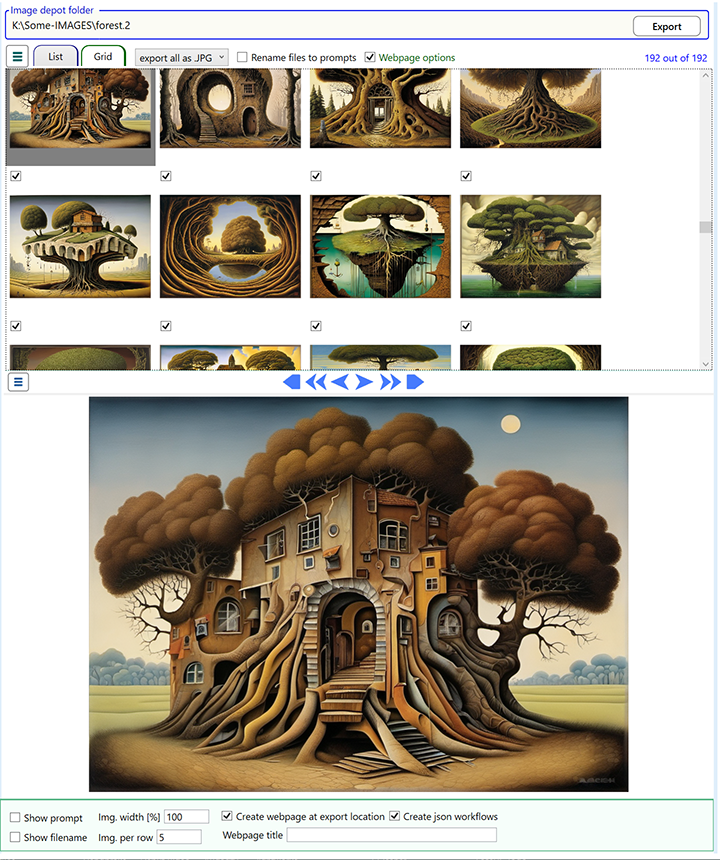
Export utility takes an image depot and exports
selected subset to another folder.
Follow the steps:
You can set a number of the generated webpage options: Show prompt, Show filename, Webpage title, etc. All the options are saved in export-template.opts and become default for the next generated webpage. Two files export-template.xhml and export-template.opts (in Config folder) are used in webpage creation: the first one is a webpage template and the second one as mentioned above. You can modify the template as you see fit. The template syntax is obvious (to me), if you have any doubt - try it, if you are still puzzled - drop me a line. In the
generated table of images if you click on an image another html showing
full size of that image with a slideshow capability. You can find scripthea-slideshow.html in Config folder of Scripthea, copy it and use for you own purposes. Notice that the html file function on from a server, it is trivial if you upload it to your remote server, but if you call it locally you need to provide a local server. The code there is looking for a file Description.idf which is jsonl file with two files required: prompt and filename. The way to call it is: scripthea-slideshow.html?img=<image-filename>
|
 |